Posts

P.S. Don't Forget About .NET, Java, and Javascript!

Image
Analysis of Job Salary and Demand by Skill from gooroo.io Sure, to many developers, they aren't as "cutting-edge" as working with Ruby and they aren't as exciting as Python, or Go. By most measures though, .NET, Java and Javascript are still the leaders in terms of number of jobs available and the salaries those jobs command . This means that companies are still hiring like crazy for these skills. That means they are still creating and maintaining applications that use these technologies. This is why it is critically important for anyone creating a platform to run applications to be able to support all 3 of these top-tier languages and the services required by them. Cloud Foundry , the open source Platform as a Service project, has had great support for Java and Javascript (as well as Ruby, PHP, Python, Go and many other languages) for quite some time with its flexible Buildpack system. A huge hole in Cloud Foundry, however, has been support for .NET appli...
Cloud Foundry Buildpacks in Restricted Networks

Cloud Foundry provides a flexible system called "buildpacks" to handle applications that use different runtimes and frameworks. Traditionally, many buildpacks reach out to public sources on the internet for the various runtimes and other supporting binaries needed to support an application. In on-premise deployments on Cloud Foundry, however, it is quite common to limit the access of Cloud Foundry to the internet. One of the great things about buildpacks are that developers can pull them in without having to work with the Operations/Architecture teams.  Unfortunately, a more secured type of an environment can be problematic for many buildpacks. Luckily, there are some strategies you can employ to make custom buildpacks available for developers to use in a more protected deployment of Cloud Foundry. NAT/Transparent Proxy One simple strategy is to allow Cloud Foundry to have access to specific locations on the internet via NAT or some other sort of transparent proxy...

Ghetto Cloud Foundry Home Lab

Image
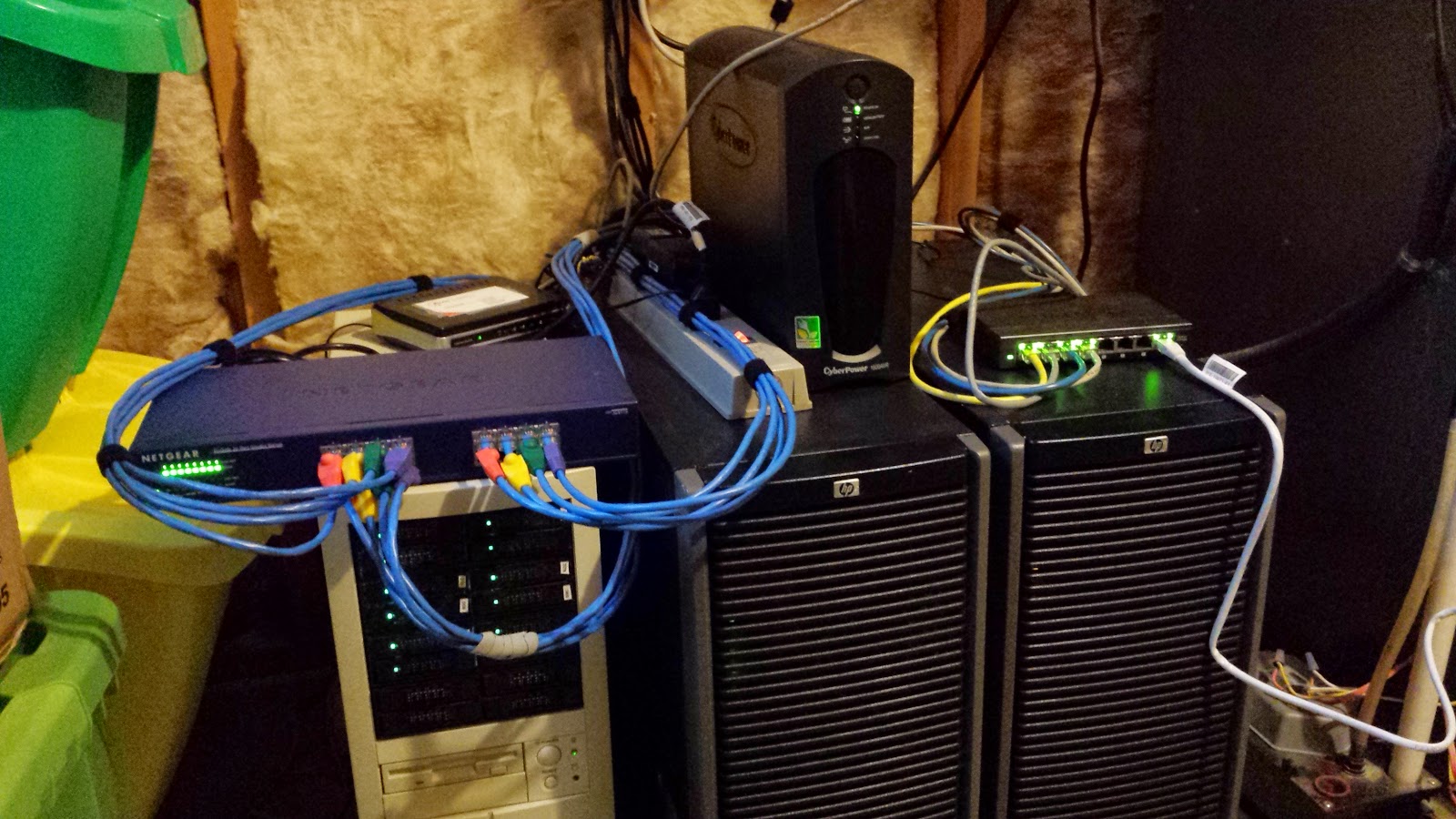
Over the past few months, I've been cobbling together my own Lab to be able to gain experience with Cloud Foundry.  Sure, I could have gone the much simpler route of bosh-lite , but I wanted to get a broader set of experience with the underlying IaaS layer in conjunction with working with Cloud Foundry. My lab hardware was purchased from various places (eBay, Fry's, etc) when I could get deals on it. Rocking the Ghetto Lab At a high level, the hardware looks like this: Machine CPU Memory Storage Notes HP Proliant ML350 G5 2x Intel Xeon CPU E5420 @ 2.50GHz 32 GB (Came with some disks, but mostly unused) vSphere Host 1, Added a 4 port Intel 82571EB Network Adapter HP Proliant ML350 G5 2x Intel Xeon CPU E5420 @ 2.50GHz 32 GB (Came with some disks, but mostly unused) vSphere Host 2, Added a 4 port Intel 82571EB Network Adapter Whitebox FreeNAS server Intel Celeron CPU G1610 @ 2.60GHz 16 GB 3x 240GB MLC SSDs, in a ZFS stripe set, plus spinning d...

GemFire WAN Replication to AWS

Image
Setting up WAN replication with GemFire between private data centers without NAT-ing is fairly straightforward, but what if you are in a situation where you want to do WAN replication between machines that are separated by a NAT (or even multiple NATs)?  Luckily, GemFire's Gateway Receiver provides for this case with a configuration setting which controls how remote systems connect to it called "hostname-for-clients". Locators You can find out a lot of detail about how WAN replication works at the WAN Replication reference manual page , but I'll recap the basics here.  Just skip down to How to Set up WAN Replication to AWS if you just want an example of a working config. GemFire can use a process called a Locator to maintain a list of all the servers in a single cluster (called a "distributed system" in GemFire parlance).  As servers start up, they register themselves with the Locator (or possible multiple Locators if you run more than one for reli...

Creating a base CentOS 6.4 Image for Pivotal HD Installation

Image
Pivotal HD 2.0 is simple to install once you have a proper base to install to. However, there are some prerequisites and some things you can do to make the install process simpler. Although these instructions were mainly for a virtual machine based install, they can be used for a physical machine based install by just ignoring certain steps. Virtual Hardware I started off with a small VM to build the image on. I can always re-size the virtual hardware later on if needed. The base VM I started with was 1 CPU, 2 GB Memory and 8 GB of disk. If you are installing to physical, you probably need to follow the recommended sizing guide for Pivotal HD at http://docs.gopivotal.com/pivotalhd/InstallingPHDUsingtheCLI.html . Installing CentOS Next, I installed CentOS 6.4 using the minimal ISO which can be downloaded from http://vault.centos.org/6.4/isos/x86_64/CentOS-6.4-x86_64-minimal.iso . Either burn it to a CD, or USB stick (http://wiki.centos.org/HowTos/InstallFromUSBkey), or use...

Suppressing messages in FreeNAS/FreeBSD about unknown USB Devices

I like to run my FreeNAS server on a UPS to make sure that it doesn't die in the middle of some file operation, and can do an orderly shutdown in case of a power failure. I'm also very cheap, so I went down to my local Fry's to find what sort of UPS I could get for a low cost. I ended up buying a CyberPower 645AVR UPS expressly for this purpose. Of course, I made sure to connect the UPS to the FreeNAS box via USB to allow FreeNAS to know when the power is out. Upon doing this, I was able to configure FreeNAS to start up the UPS service, and begin monitoring the UPS status. Unfortunately, I was noticing messages in my log every few minutes like the following: Dec 30 14:18:18 xxxx root: Unknown USB device: vendor 0x0764 product 0x0501 bus uhub3 So I did a little digging and found out that FreeBSD, the underlying OS for FreeNAS, uses a service called devd to manage automated actions for USB (and other) device events. After reading up on the man page about the /etc/devd...

Git for Recovering SVN/ClearCase/CVS/"Other Old School SCM Tool" Users

Git is really a great way to encourage sharing of code and contributions to projects.  However, as a lot of folks out there, I came from a different background of SCM tools that really weren't as good as dealing with lots of parallel development tracks, branches, and multiple repository coding.  If you are new to Git like I am, you might find the following info useful to demystifying git and find that git is fairly easy to work with if you have a better understanding of how it works. I would first suggest you have a read of the freely available Pro Git.  It gives you the basics of git, and also points out differences that you will see if you are coming from other SCM tools.  You can read that online at http://git-scm.com/book or buy it for yourself. One area of particular interest for me is the ability to combine multiple commits into a single commit.  This feature is called "squashing" in git.  It's important to me because I like to commit often. ...